Understanding Connected Home Basics
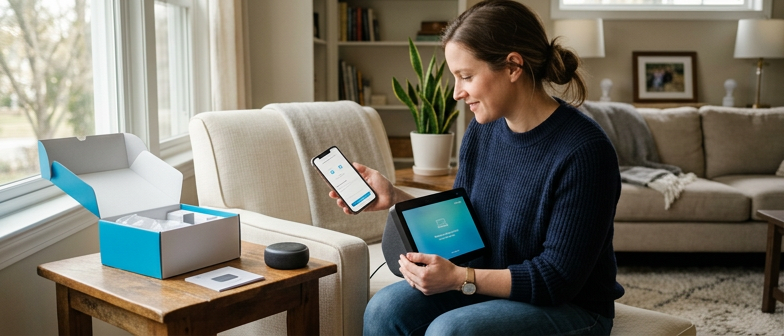
A connected home uses internet-enabled devices to add control, monitoring, and automation to everyday household functions. In a typical smart home setup, the core building blocks are your network, the control tools, and the devices themselves. The network is usually centered on a home router that provides Wi-Fi and sometimes wired connections. Control tools can include a mobile app, a voice assistant, or a dedicated hub that coordinates devices using standards such as Zigbee, Z-Wave, Thread, Bluetooth, or Wi-Fi. Smart lights, thermostats, cameras, sensors, plugs, and appliances connect through this infrastructure so you can adjust settings, check status, and run simple automations from a central interface.
Ecosystems and interoperability are key when planning a connected home. An ecosystem is the combination of devices, apps, and services that work together under one platform, such as a voice assistant or automation service. Interoperability is the ability of devices from different brands or categories to communicate reliably, so routines can include lighting, climate, security, and entertainment without separate steps for each product. When choosing equipment, it helps to confirm which platforms and standards each device supports, because this affects how easily you can expand, troubleshoot, and maintain your system over time.
| Ecosystem Type | Typical Device Mix | Interoperability Level | Best-Fit Use Case | Potential Trade-Offs |
|---|---|---|---|---|
| Voice-assistant-centered | Speakers, displays, basic lighting and plugs | Medium with common standards | Hands-free control in main living areas | May rely on cloud services |
| Hub-centered automation | Wide range of sensors, lights, climate, security | High with Zigbee, Z-Wave, Thread | Complex routines across many rooms | Setup and tuning can be more involved |
| App-only Wi-Fi devices | Individual lights, plugs, cameras, appliances | Low to medium via shared apps | Smaller homes or starter setups | Multiple apps and logins to manage |
| Mixed-brand ecosystem | Combination of hub, voice, and direct Wi-Fi | Variable, depends on shared standards | Gradual expansion over time | Troubleshooting can be less straightforward |
Planning Your Smart Home Device Layout
A practical smart home device setup plan starts with a simple map of your home and a clear view of daily movement. Sketch key rooms, entry points, hallways, and outdoor areas, then mark where you usually lock doors, adjust lights, or change temperature. Match device types to these spots, such as locks at exterior doors, thermostats in central locations, and lighting controls in rooms you use most. Consider connected home basics: how each device will get power, reach Wi‑Fi, and interact with other equipment. Place central hubs or voice assistants in common areas, and position security devices so they have clear views of doors and windows. Keep different household members, guests, and pets in mind so routine interactions with devices stay convenient and predictable.
After sketching the layout, refine placement using your Wi‑Fi coverage and habits. Many smart devices depend on a stable network, so check where the router sits and identify weak areas before choosing final locations. Moving the router to a central point, using a mesh system, or reducing dense obstructions can improve reliability for cameras, doorbells, and sensors. Align each device with a specific task and typical behavior, such as motion‑triggered lights along night‑time paths or switches at easy‑to‑reach heights. Balancing network strength and power access with everyday routines creates a layout that is easier to manage, troubleshoot, and gradually expand.
Optimizing Wi-Fi Coverage and Device Placement
Smart home reliability depends on where the router and access points are placed. Position the main router centrally and slightly elevated, away from thick walls, metal surfaces, and large appliances so signals reach more rooms with fewer obstacles. In multi-story homes or long layouts, a mesh Wi-Fi system can distribute coverage more evenly and reduce dead zones that cause devices to go offline or respond slowly.
Individual smart devices work best within a stable signal range and away from strong sources of interference. Before mounting a camera, thermostat, or smart plug, check signal strength at that spot with a phone or tablet on the same network. If performance is inconsistent, try moving the device a short distance, relocating an access point, or adding another mesh node. Ongoing issues such as frequent disconnects or delays can indicate areas that need changes to the network or updated hardware.
Creating a Clear Device Naming System
A clear and consistent naming system is a simple way to keep a connected home manageable. When every smart light, thermostat, camera, or speaker has a predictable name, app dashboards are easier to read, voice control is more accurate, and troubleshooting is faster when something goes offline. Confusing, duplicate, or generic labels such as "Device 1" slow you down when you need to adjust a setting quickly or confirm which device triggered a notification. A structured approach also supports the wider smart home setup plan by making it obvious which devices belong in each room, what they do, and how they fit into everyday routines.
Many households find it useful to combine room, function, and device type in each name, following a simple pattern they repeat across all platforms. Names such as "Kitchen Ceiling Light," "Hallway Motion Sensor," or "Living Room Media Speaker" explain both location and purpose at a glance. Keeping the same labels in the hub app, manufacturer apps, and voice assistants reduces confusion and makes spoken commands and automation rules more reliable. Periodically reviewing names when devices are added, removed, or moved between rooms keeps the system accurate and supports smoother automation, clearer privacy settings, and easier maintenance over time.
Designing Home Automation Routines
Effective home automation routines start with a clear view of daily life in each room. Outline typical mornings, evenings, and weekends, noting when lighting, heating or cooling, and entertainment devices are usually needed. From this, define simple actions, such as turning on a lamp or adjusting the thermostat, and connect them to practical triggers like schedules, motion, or a button press. Use conditions so routines only run when appropriate, for example after sunset or when someone is at home. Begin with a few predictable scenes, such as a bedtime routine or an arrival sequence that activates entryway lights, so the smart home remains easy to understand and refine.
As routines grow more complex, safeguards keep them comfortable and predictable for everyone. Set reasonable limits on automated changes to brightness or temperature, and include manual overrides so people can pause or change an automation when it feels inconvenient. Optional notifications can increase awareness, such as alerts when doors are locked or appliances are turned off. Keeping a simple record of each routine and the devices it controls supports later troubleshooting and adjustments. Periodic reviews help remove steps that no longer match household habits and ensure routines stay aligned with privacy and security settings, keeping the overall automation plan manageable.
Balancing Convenience with Control in Automations
When building a home automation routine, start with clear, limited goals so devices behave in predictable ways. Automations that try to cover every possible situation can become hard to understand and may trigger when you do not expect them to. Begin with simple rules, such as lights responding to time of day or a single motion sensor, and live with them for a while before adding more conditions. This gradual approach helps you notice confusing patterns early and keep the connected home experience manageable and comfortable for everyone who uses it.
Q&A
-
What do I need for a basic smart home setup?
You need a stable home network, a control method such as an app or voice assistant, and connected devices like lights, thermostats, plugs, and sensors that work with your network. -
How should I plan where smart devices go?
Sketch each room, mark doors, windows, and usual paths, then note where you adjust lights, temperature, or locks. Match device types to those spots and confirm power outlets and Wi‑Fi coverage. -
How can I name smart home devices clearly?
Use a simple pattern with location and function, such as "Kitchen Ceiling Light" or "Hallway Sensor," and avoid duplicate or vague names so app control and voice commands stay easy to understand. -
How do I improve Wi‑Fi for connected devices?
Place the router centrally, raised, and away from thick walls or large metal objects. In bigger or multi‑story homes, a mesh Wi‑Fi system can help reduce dead zones and improve connection stability. -
What routine checks help keep devices secure?
Review privacy and sharing options, install firmware updates, use strong unique passwords, and test important automations such as lighting or security routines to confirm they still match household needs.